
Family Recruitment and Engagement
School App Custom Website Branding & Design Photography & Videography Attendance ReportCreate and customize assignments, manage student rosters, define grading scales, and export performance data — all in one easy-to-use, teacher-specific gradebook designed for how teachers actually work.



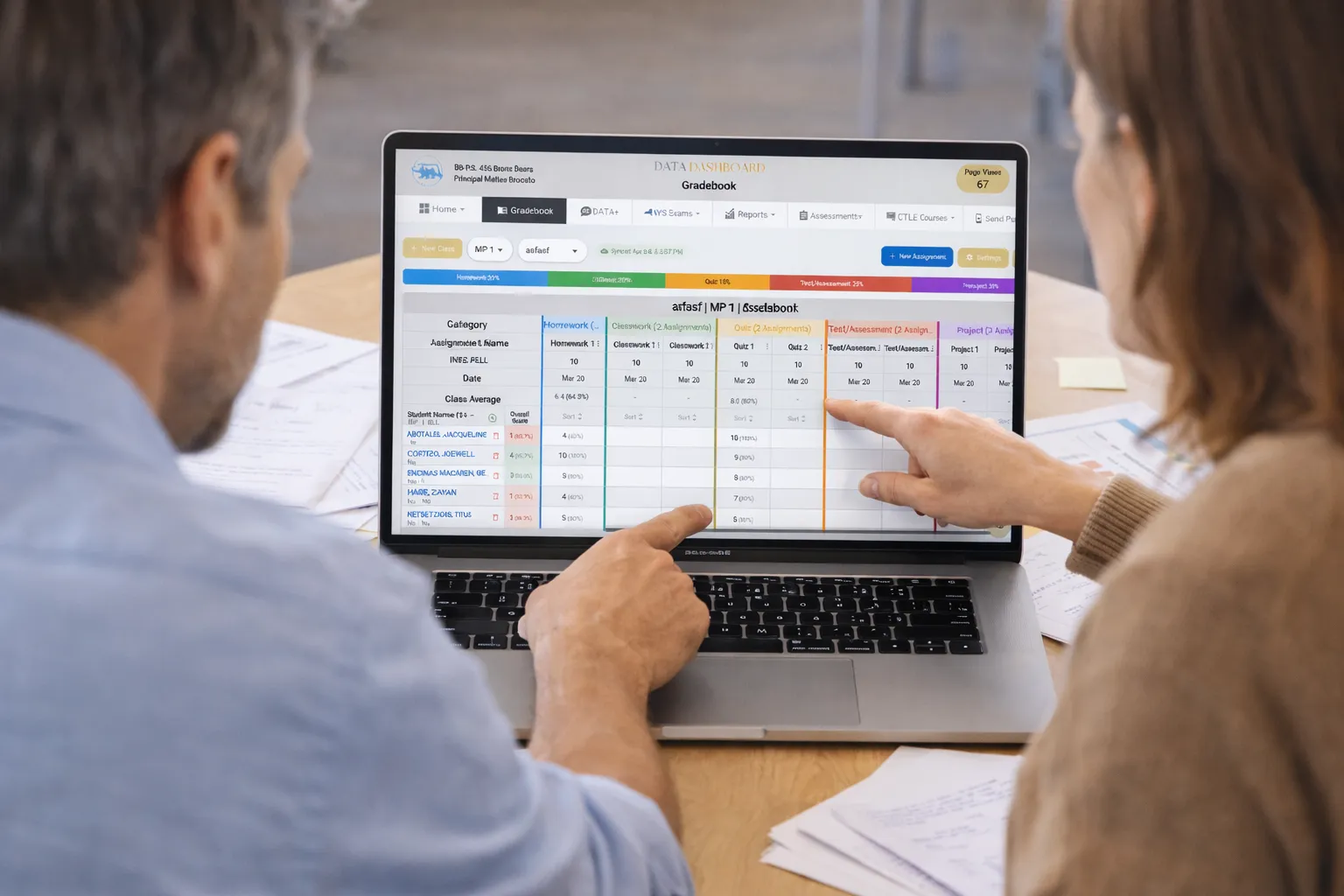
Everything teachers and administrators need to create, manage, and track student grades — without the complexity of legacy systems.
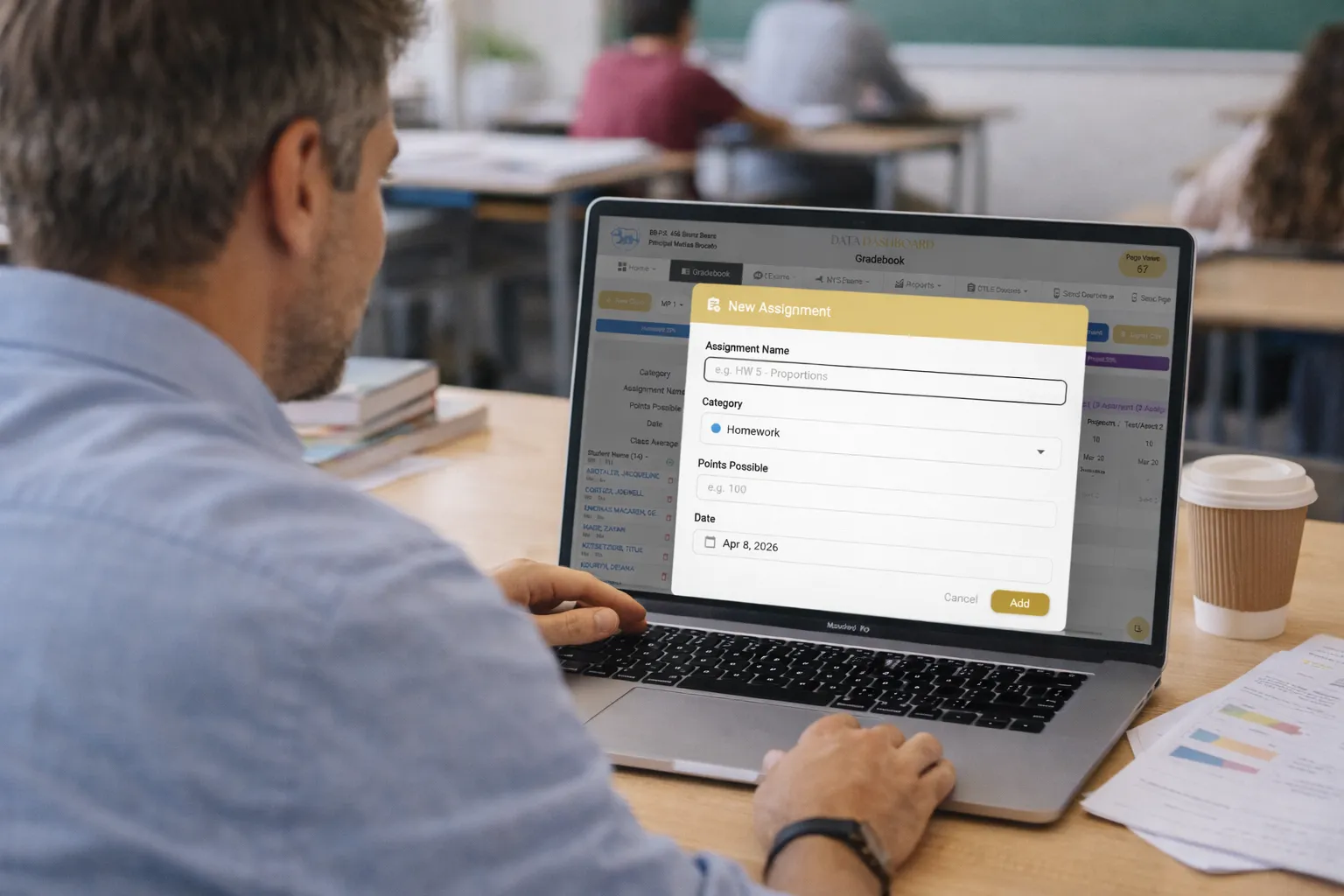
Build assignments in seconds with customizable categories. Choose from Homework, Classwork, Assessments, Projects, and Quizzes — or create your own. Set point values, due dates, and marking periods, all from one clean interface that keeps your grading organized and consistent.
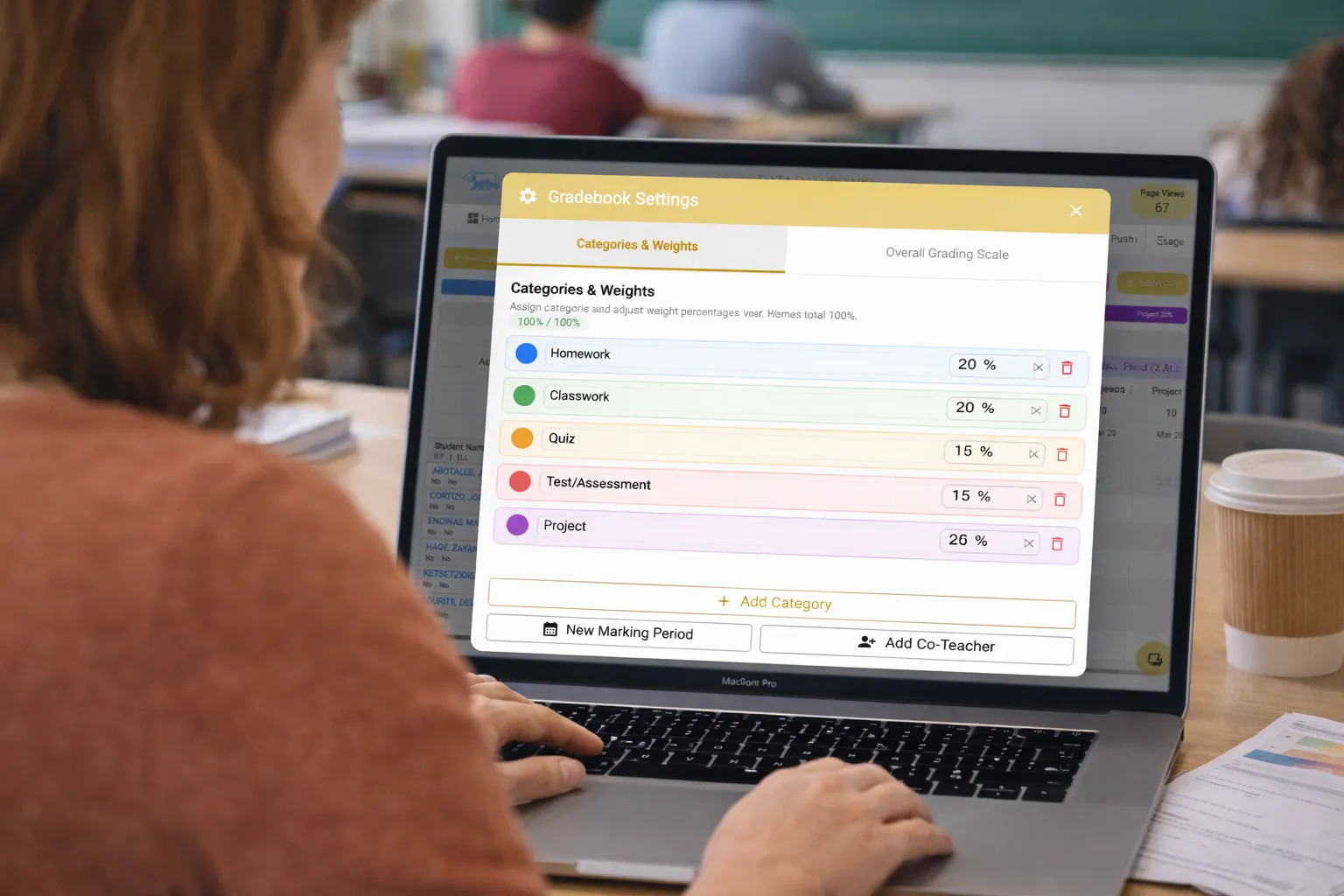
Customize your grading structure by assigning a value to each category based on your priorities. Adjust how different types of student work contribute to the final grade, or keep everything balanced—the choice is yours. Changes apply instantly across all student calculations.
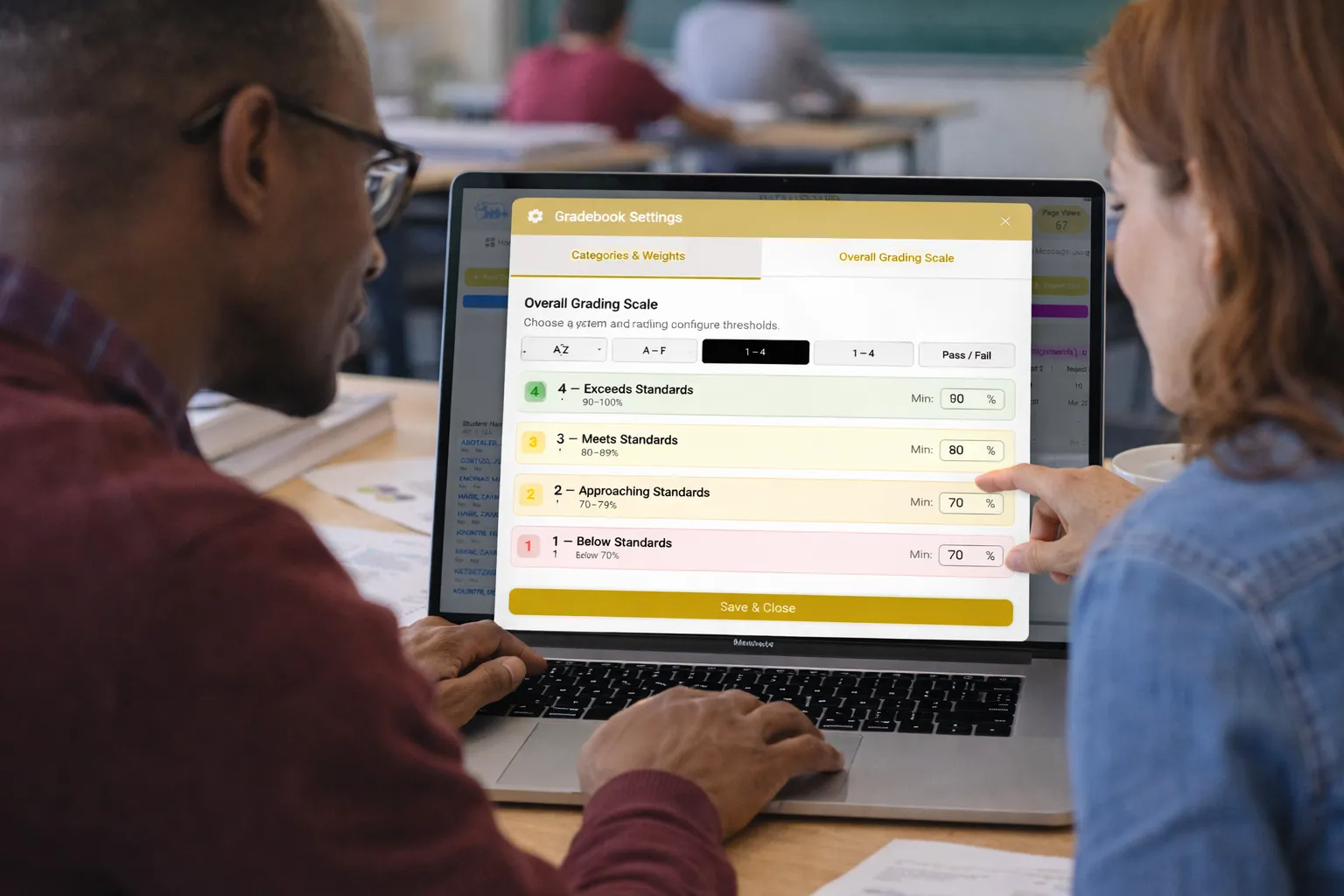
Set up a grading scale that aligns with your school’s standards. Define letter grades, percentage ranges, and performance levels in a way that fits your approach. Whether you use A–F, 1–4, or a custom rubric, the gradebook adapts seamlessly to your system.

Start grading immediately with preloaded ATS/Stars rosters, or create custom classes and add students manually. Switch between marking periods, filter by class or teacher, and manage everything from a single dashboard designed for real classroom workflows.
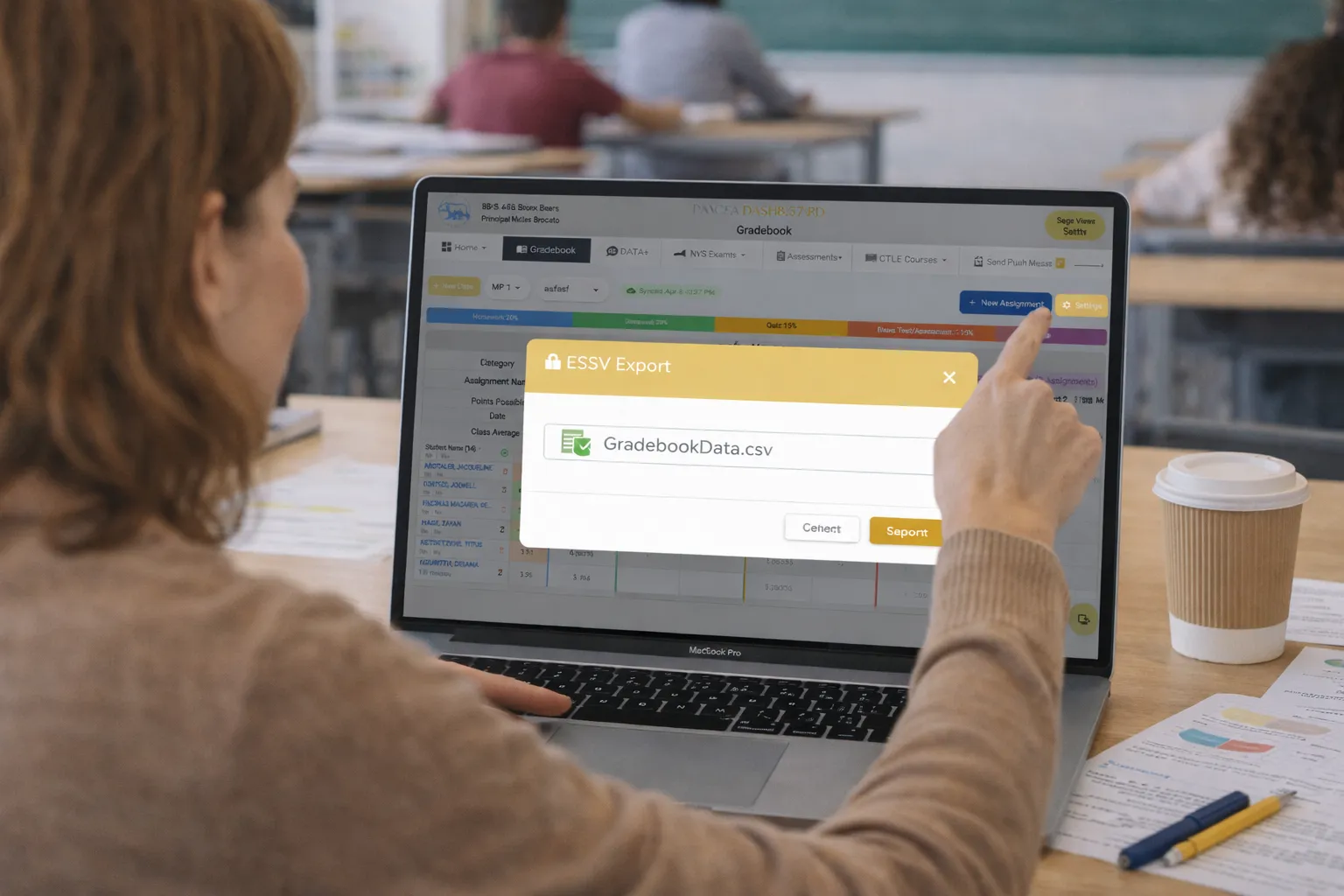
Export your complete gradebook in a simple format with one click. Use it for report cards, parent-teacher conferences, administrative reporting, or to share with your school’s Student Information System. Your data is always accessible and easy to use.
Manage the entire grading process in one place, from importing your roster to sharing final grades. Designed to simplify workflows for teachers and provide administrators with full visibility.

Stop juggling spreadsheets and disconnected tools. Give your teachers a gradebook that's intuitive, flexible, and built for K-12 workflows — so they can focus on teaching, not data entry.
See a sample Gradebook in ActionSOLVED's Gradebook is a digital grading tool built specifically for K-12 teachers and school administrators. It allows teachers to create assignments, enter grades, customize grading categories and weights, define grading scales, and export data — all from one easy-to-use interface that works with your existing ATS/Stars roster.
Yes. You can create and name your own grading categories — such as Homework, Classwork, Assessments, Projects, and Quizzes — and assign a percentage weight to each one. The gradebook automatically calculates each student's overall grade based on your configured weights.
Yes. The gradebook comes preloaded with your school's ATS/Stars roster, so you can start grading immediately without manually entering student names. You can also create custom classes and add students manually if needed.
You can create assignments in five built-in categories: Homework, Classwork, Assessments, Projects, and Quizzes. Each assignment can have a custom name, point value, due date, and marking period. You can also add additional categories to match your school's specific needs.
Absolutely. The gradebook lets you set up your overall grading scale with custom letter grades, percentage ranges, and performance levels. Whether your school uses A–F, 1–4, or a standards-based rubric, the system adapts to your requirements.
Yes. You can export your complete gradebook as a CSV file at any time. This is useful for report cards, parent-teacher conferences, administrative reporting, or importing data into your school's Student Information System.
The gradebook includes a marking period selector that lets you switch between grading periods throughout the school year. You can view, enter, and compare grades across different marking periods, giving you a clear picture of student progress over time.
SOLVED provides ongoing support including onboarding training for teachers, troubleshooting assistance, feature updates, and regular check-ins to ensure your team is getting the most out of the gradebook. Our goal is to make grading easier so teachers can focus on instruction.
.webp)

.webp)