Push Notifications vs Email: What Parents Read First
9
minute read
|
August 2025
| Last updated:


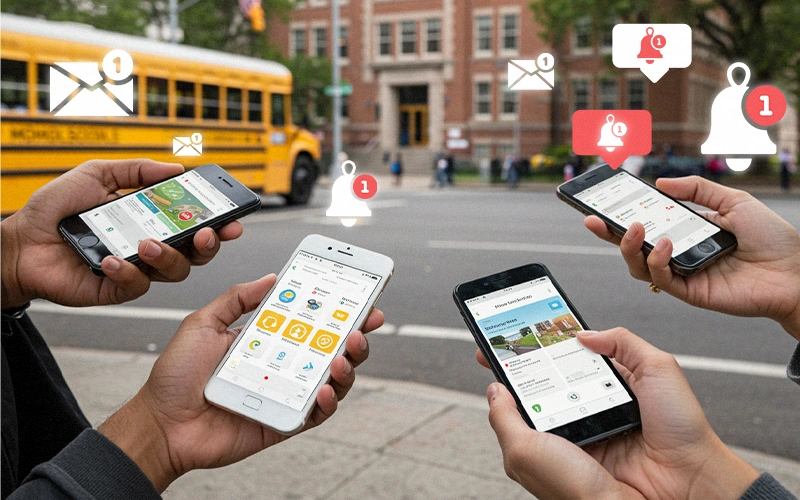
Effective school communication often comes down to a race between push notifications and email. In an era when most parents are glued to their smartphones, schools need to consider which channel grabs parent attention first. Let’s compare push notifications (through a school mobile app) and traditional email for reaching parents, and explore how each fits into a modern school communication strategy.
Think about your own experience: a push notification pops up on your phone screen instantly – you don’t have to open an app or log in anywhere to see it. By contrast, an email sits in an inbox that a parent might check only a few times a day. This difference in delivery method is huge. Push notifications appear right on the lock screen and often light up the phone, demanding attention immediately. Emails require the parent to actively open their email app and can easily be overlooked, especially if they land in a cluttered inbox or spam folder. In practical terms, a message about a school closure or a bus delay will likely be seen within seconds as a push alert, whereas the same info sent via email might not be read for hours.
The data backs this up: push notifications have near 100% “view rates” because the content is automatically displayed to the user. On the other hand, the average email open rate hovers around 20–25% for many audiences. In some sectors it can be even lower (~2% in worst cases, or up to 40% in best cases). This means a large portion of parents might not see an urgent email in time. A push notification, by design, is almost impossible to miss – the next time the parent glances at their phone, the message is there.
Example: Imagine the school’s power goes out and you must close early. A push notification will buzz phones immediately: “⚡ School closing at 1 PM today due to outage.” Parents see it flash on-screen and can react right away. If the same notice is emailed, many parents might only discover it after they’ve arrived at the school because they hadn’t checked email during work. In urgent situations, speed matters, and push wins the race.
Not only are push notifications seen faster, they often prompt quicker action. One reason is that push messages are typically brief and focused, making it easy to digest and act on the information. They’re also perceived as more personal and urgent – similar to a text message. Studies have found that transactional push notifications can have open rates around 69%, far higher than typical email open rates. Even more telling, 43% of app users say push notifications feel less intrusive than email or SMS messages. Parents may appreciate the concise nature of a well-crafted push alert (just a sentence or two), whereas a lengthy email might be saved “to read later.”
Click-through and interaction rates also tend to favor push. The average reaction (click) rate for push notifications is about 7.8%, and can go up to 15–20% for highly relevant messages. This is significantly higher than the ~2% click-through rate typical of email campaigns. In a school context, a “reaction” might be tapping the notification to read more details in the app or acknowledging a request. For example, if you send a push saying “Field trip permission form due tomorrow – tap to sign now,” many parents will tap immediately and complete the form on their phone. An email with the same request might be lost or put off until later, risking lower response.
However, it’s worth noting that email is far from dead – it still has its strengths, which we’ll discuss next. But in terms of what parents tend to read first, push notifications have the edge due to immediacy and high visibility. One industry source even noted, “with push notifications, the open rate is near 100%, as the content is directly shown on screen”. While that 100% is theoretical, it underscores how much more likely a push message is to be seen by every parent who enabled the school app’s notifications.

Despite push notifications’ advantages, email still plays an important role in school-home communication. The type of content and context often determines which channel is more appropriate:
In practice, using both in tandem is often the best strategy. For example, send an email about the upcoming school carnival with all the volunteer info, but also send a push notification the day before: “School Carnival tomorrow at 5 PM! See email for details.” This layered approach covers your bases – parents see the quick reminder and know where to find the full info if they need it.
Understanding parent preferences is key. While many love the quick convenience of push alerts, some may find them annoying if overused. It’s important that your school mobile app allows users to control notification settings (e.g., opting in to certain categories like sports updates or PTA news). Fortunately, modern app platforms and user research suggest most people are okay with regular notifications if they find them valuable. In one study, 75% of app users said it’s appropriate to receive daily or more frequent notifications for important updates (this was in contexts like messaging and news). For school communications, you might not send daily pushes, but during critical times (exam week, weather season), parents generally appreciate timely alerts.
Email volume concerns are the flip side. Parents often complain about being flooded with school emails – weekly teacher updates from multiple classes, district newsletters, etc. They can get lost in the shuffle. In fact, one education survey highlighted a “disconnect” where schools tried using social media, but parents overwhelmingly still said email, calls, and texts were their preferred channels for important info. The takeaway is to use each channel for what it’s best at and not duplicate everything on both. Overcommunication can cause fatigue where parents start ignoring messages.
Branding and Consistency: Whichever channel you use, maintain a consistent school identity in your messaging. Use the school name or mascot in notifications so parents recognize who it’s from at a glance. For emails, use a consistent sender name (e.g., “Greenwood Elementary Updates”) and a branded email template with your logo/colors. This consistency builds trust and ensures parents don’t skip over your messages thinking they’re spam. A quick tip: the push notification service should ideally allow using your school’s app icon or name – this keeps your brand front and center on their screen.
In the push vs email showdown, push notifications tend to be read first due to their immediacy and high visibility. They are superb for urgent alerts and brief, attention-grabbing updates. Emails remain valuable for detailed communications and as a staple channel that parents can search and reference later. Rather than choosing one over the other, the best strategy for schools is to integrate both: use push notifications to send timely highlights and critical alerts, and use email to deliver in-depth information and follow-ups.
By combining the strengths of each, you cater to parent preferences for timeliness and completeness. For example, send a push saying “Report cards are out! Check your email for a link to the portal and instructions.” Parents get the nudge right away and know to find details in their email or the app. This layered approach was echoed by communication experts: a unified strategy of emails + alerts helps meet parents’ expectations for timely, clear info.
In summary, parents are most likely to read a push notification first – it’s front-and-center on their phone and feels urgent. But they’ll appreciate having a corresponding email for the finer points. Leverage the school mobile app for what it does best (immediate, concise alerts that cut through the noise), and continue using email for context and expanded content. When done thoughtfully, your school will effectively reach parents on their preferred channels and ensure important messages never slip through the cracks.
